¶ Autoresponder
- To change autoresponder settings, log in to Sibly Webmail using your email account credentials at: https://webmail.sibly.pro/
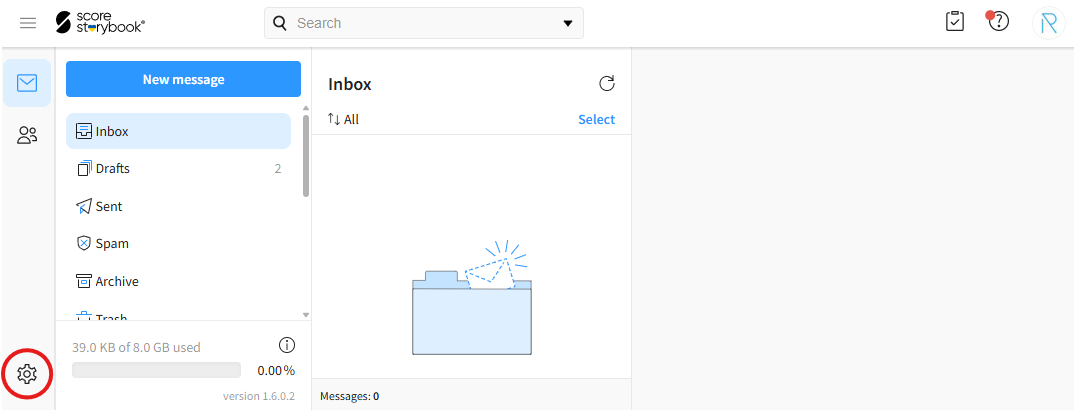
- Click the gear icon in the bottom-left corner of the page.
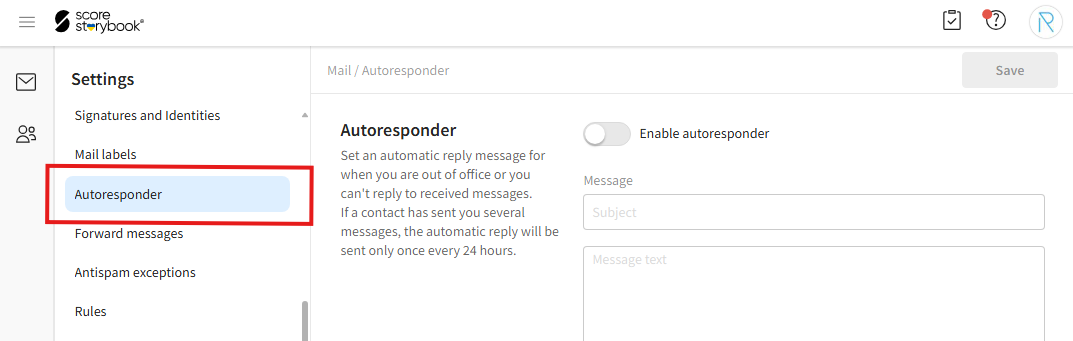
- Click on the "Autoresponder" option.
- Enter the desired information.
"Enable autoresponder" - Enables or disables the autoresponder.
"Subject" - The subject of the automatic reply.
"Message text" - The content of the automatic reply.
"Enable date range" - Specifies a date range during which the autoresponder is active.
"Start date" - The date and time when the autoresponder becomes active, if "Enable date range" is enabled.
"End date" - The date and time when the autoresponder is deactivated, if "Enable date range" is enabled.
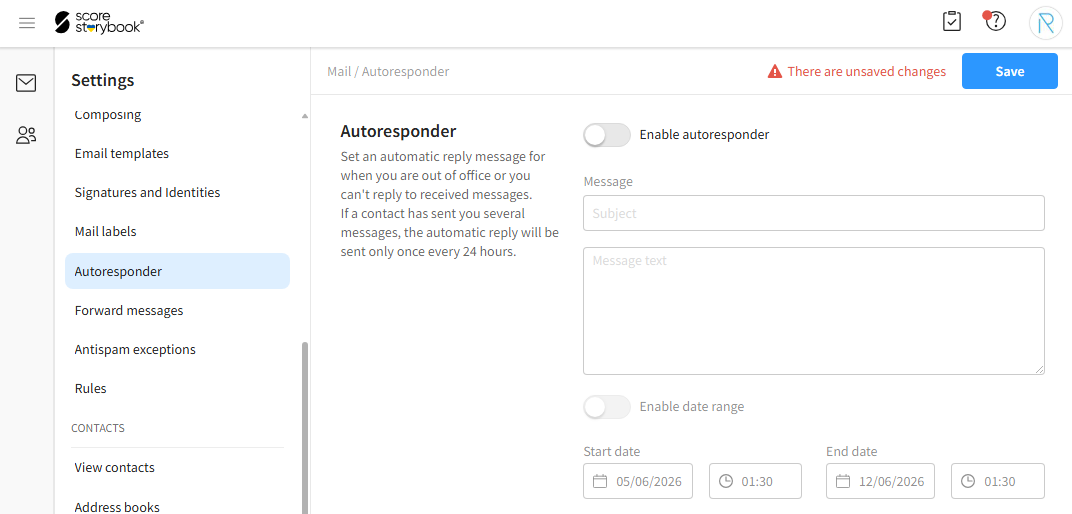
- After making your changes, click the blue "Save" button in the top-right corner of the window.