¶ Changing Your Password
- To change your password, log in to Sibly Webmail using your email account credentials at: https://webmail.sibly.pro/
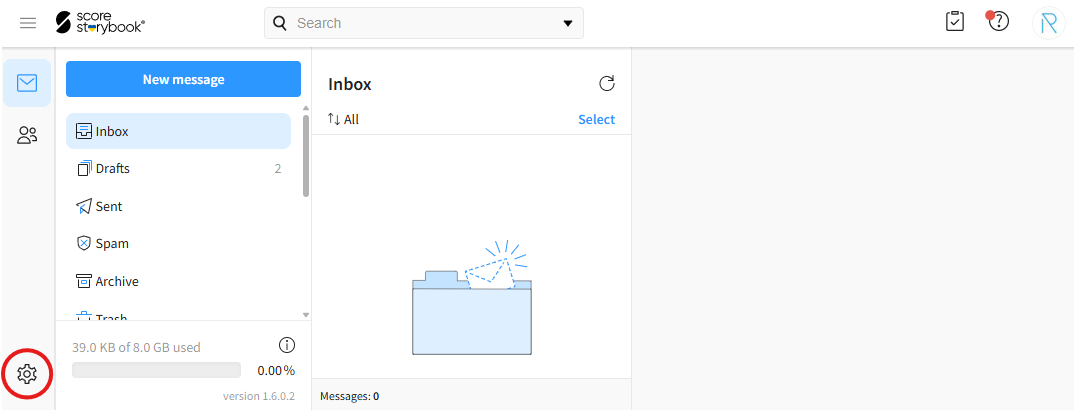
- Click the gear icon in the bottom-left corner of the page.
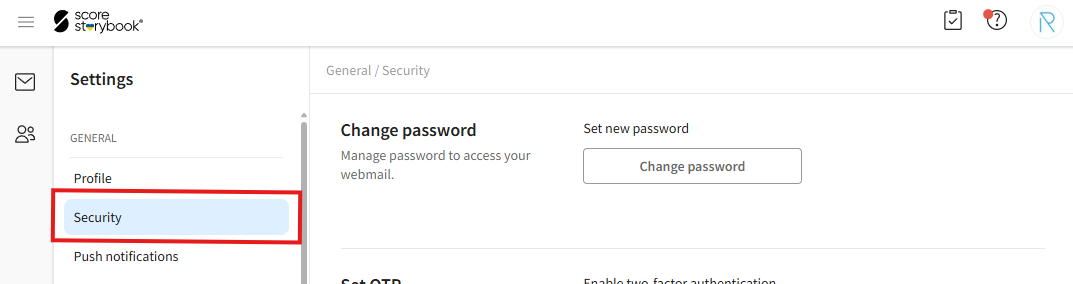
- Click on the "Security" option.
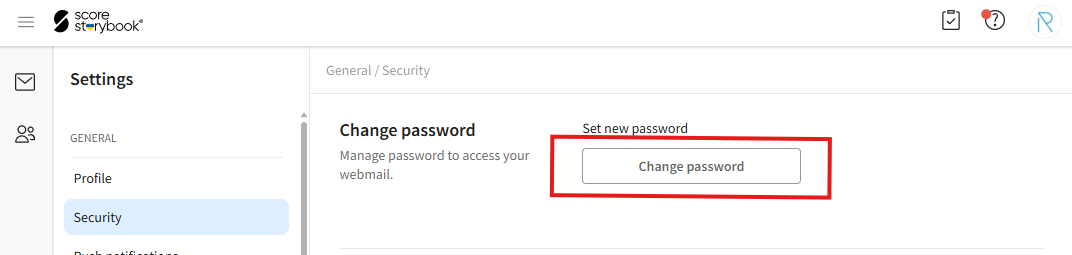
- Click on the "Change password" button.
- In the opened window, enter your current password in the "Current password" field and your new password in the "New password" and "Confirm password" fields. You can use the "Generate random password" button to automatically create a strong password.
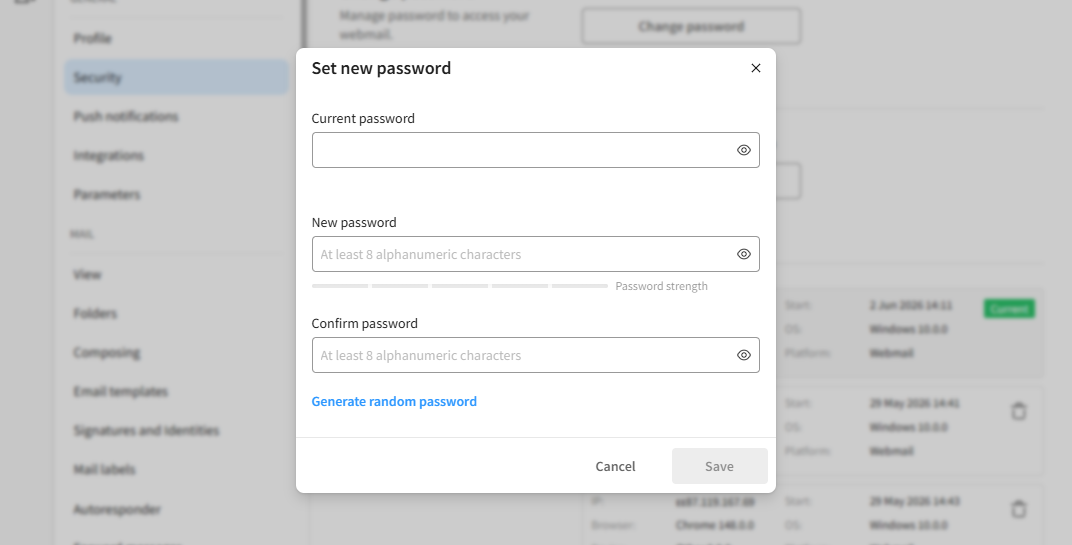
- After making your changes, click the blue "Save" button in the bottom-right corner of the window.