¶ Email Forwarding
- To change forwarding settings, log in to Sibly Webmail using your email account credentials at: https://webmail.sibly.pro/
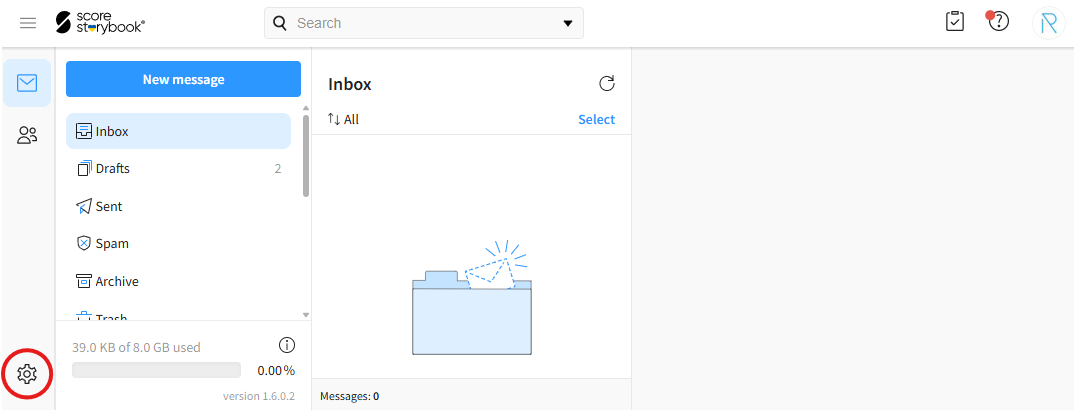
- Click the gear icon in the bottom-left corner of the page.
- Click on the "Forward messages" option.
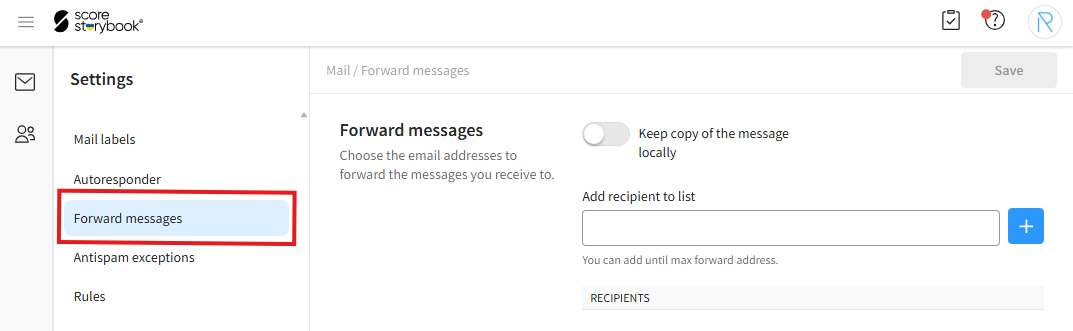
- Make the desired changes, then click the blue "Save" button in the top-right corner of the window.
¶ Keeping Messages in Your Sibly Webmail Mailbox
- You can keep forwarded messages in your Sibly Webmail mailbox as well. To do this, enable the "Keep copy of the message locally" option.

¶ Adding a Forwarding Address
- To add a new forwarding address, enter the email address where you want to receive forwarded messages in the "Add recipient to list" field and click the plus (+) button.

¶ Removing a Forwarding Address
- To remove an email address from the forwarding list, click the trash can icon next to the desired address.
