¶ Managing Folders
- To manage folders, log in to Sibly Webmail using your email account credentials at: https://webmail.sibly.pro/
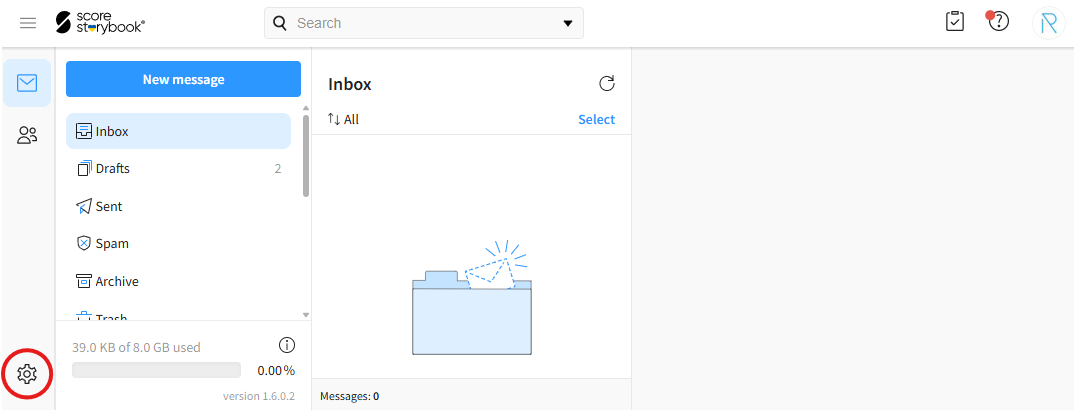
- Click the gear icon in the bottom-left corner of the page.
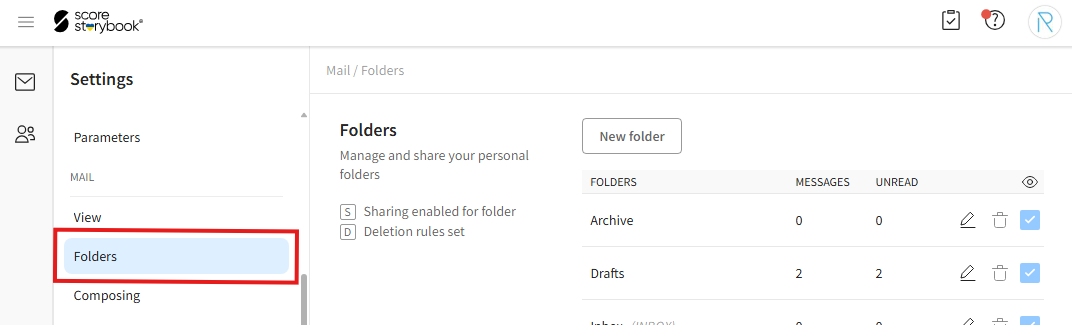
- Click on the "Folders" option.
¶ Creating a New Folder
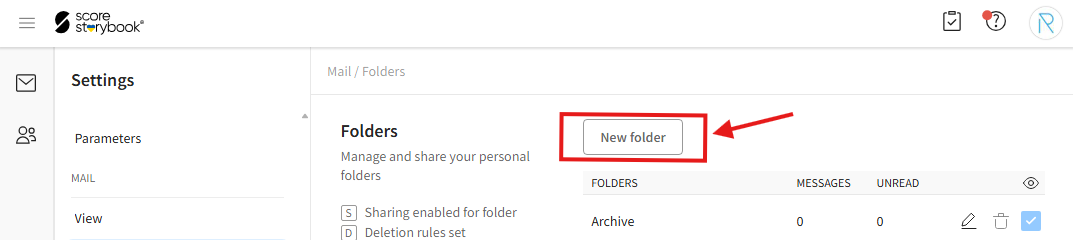
- To create a new folder, click the "New folder" button.
- Enter the desired information.
"Path" - Parent folder. Allows you to create the folder inside an existing folder. The default value "-- Root --" means that the folder will not have a parent folder.
"Folder name" - The name of the folder.
"Delete folder's messages" - Rules for automatically deleting messages in the folder. "Never" never deletes messages automatically. The remaining options delete messages after the selected period of time.
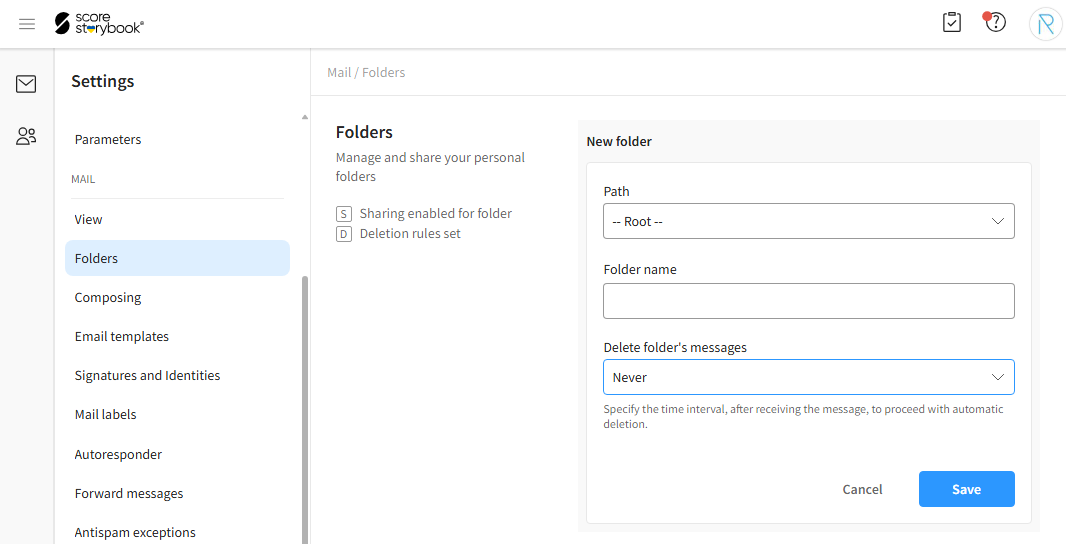
- After entering the information, click the blue "Save" button.
¶ Editing, Sharing, and Deleting Folders
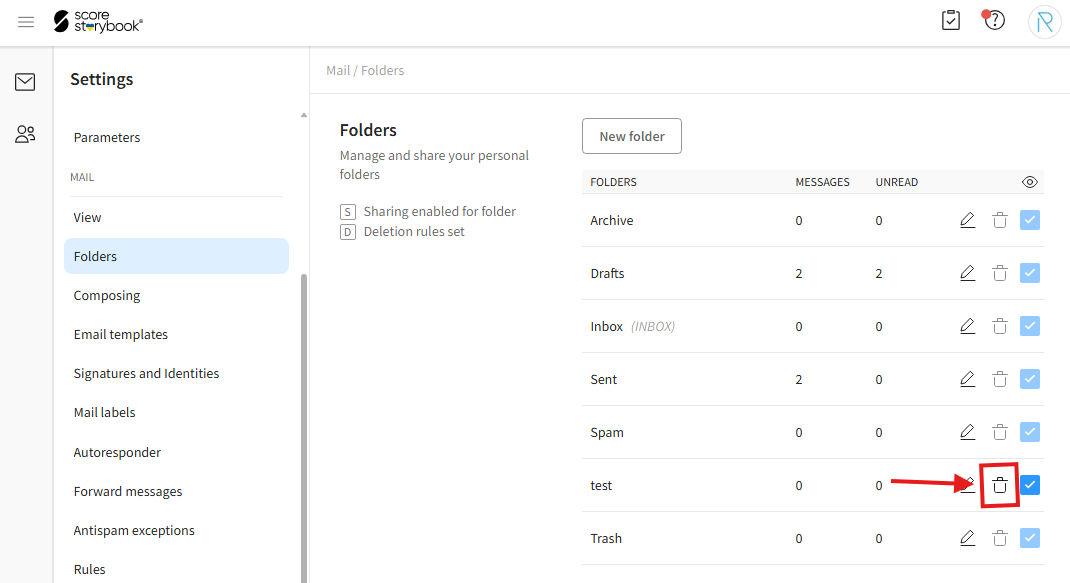
- To edit a folder, click the pencil icon. The rest of the process is the same as when creating a new folder. To cancel, click "Cancel". In the folder editing window, you can also share the folder with contacts by clicking "Share folder". Shared folders are displayed in the "Shared folders" section below.
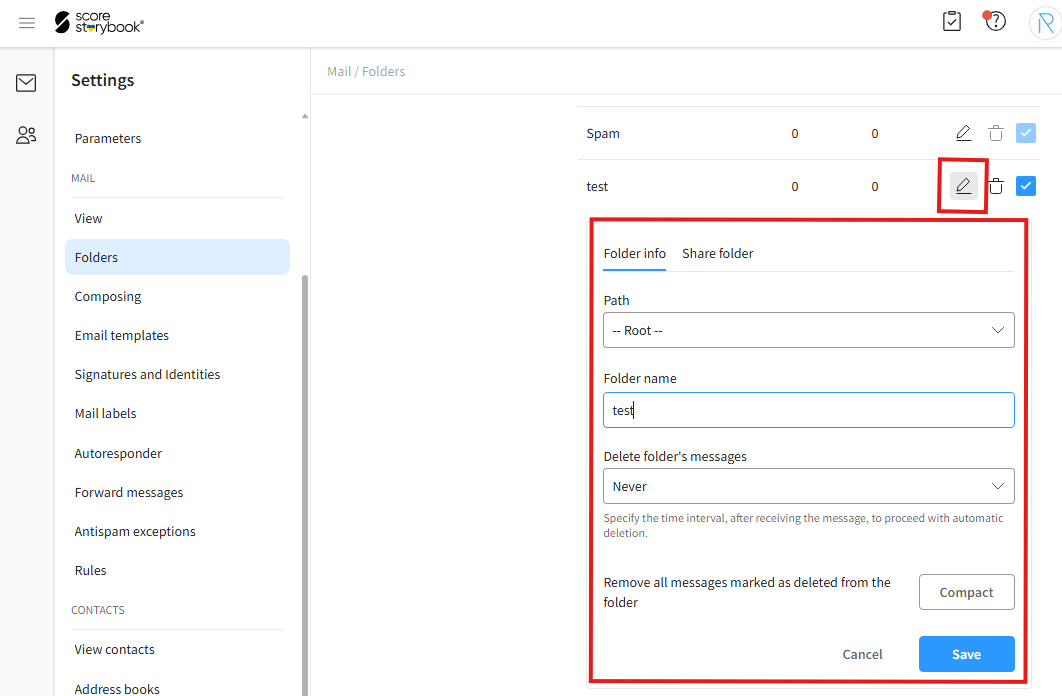
- To delete a folder, click the trash can icon and then click "Delete" in the confirmation window.